
This should save you ~10 minutes of reading

You can connect with our BooksMerge experts, who are available 24/7 to assist you with any tax-filing or form-related questions. You may call our experts directly using the +1-866-513-4656 this service is completely free. To schedule a callback, however, you’ll need to log in to your account or create a new one.
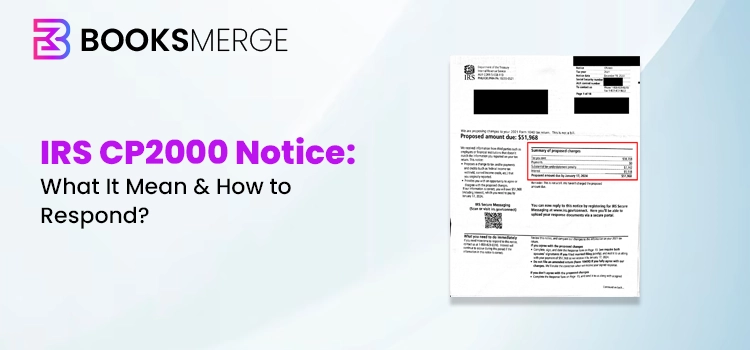
AN IRS CP2000 notice is basically a letter that is provided by the IRS to businesses or individuals informing them that the income, payments reported on the tax return, do not match those that the IRS received. It is not an audit, but it’s a proposed change to your tax return, which may result in additional tax, penalties, or interest.
Are you worried about getting an IRS CP2000 notice and don’t know what to do? If yes, you aren’t alone in this situation. It is basically a notice that is provided by the IRS when the income or payment you paid doesn’t match the one listed on the filed return. So, all you require is to respond to that notice, whether you agree or not, along with the supporting documentation. But if you ignore it, then you will receive a Notice of Deficiency from the IRS.
Read this entire post, and let’s learn more about what the IRS CP2000 notice is, how to respond, how to pay online, and the deadline for filing it.
The IRS CP2000 is a notice that is received if the payment or information we get from third parties, like employers or banks, does not match the information reported on your tax return. Moreover, this notice describes proposed changes to your tax return and information required to identify it. It doesn’t count as a bill, and your response to the notice is mandatory.
You must thoroughly review the IRS CP2000 notice and follow these instructions to fix the issues.
Note: If you don’t give any reply to the IRS CP2000 notice or your issues aren’t resolved, then the IRS will send you another notice and a bill.
Following are the two different ways to respond to IRS CP2000.
• If You Agree
Suppose you agree with the IRS CP2000 notice, complete, sign, and date the Response form (make sure that it’s signed by both spouses if married and filed jointly). Then, you can file the return via the IRS Document Upload Tool. Otherwise, you can also mail or fax the form to the location or address provided on the IRS notice by its due date.
This notice mainly consists of the interest that is calculated from the due date of return till 30 days from the date on the notice. It also applies some penalties that aren’t shown on the notice. The interest will continue unless the due amount is paid in full.
If the proposed amount is paid within 30 days, it will not impose any additional interest, and there will be no penalties. In that case, you can either pay the proposed amount online now or you can wait for the IRS to adjust your account and send you a bill.
If you wait, interest will accrue till the amount is paid in full. Whereas, for an instalment agreement, or to pay online, you must still complete, sign, and date the Response form. Then, you can file the return.
• If You Don’t Agree
If you don’t agree with the IRS CP200 notice with some or all of the proposed changes, select the relevant box on the Response form. Then, send the reply to the IRS with the signed statement mentioning the reason for your disagreement. Also, attach supporting documentation and then return the response form with supporting documents using the IRS Document Upload Tool. Otherwise, you can fax or mail the notice by its due date.
If your CP2000 notice is right and you are having other income, credit, or other expenses to report, fill out the amended return 1040-X for the tax year shown on page one of your notice. You have to write “CP2000” at the top of Form 1040-X and return the response form along with the supporting documentation using the IRS Documentation Upload tool, mail, or fax it.
After getting the response from the IRS, they will make the necessary corrections for you. In case the same error repeats in another tax year, file an amended return for that year to avoid or minimize accrual penalties.
You can use the IRS Document Upload tool, which is one of the most convenient and fastest ways for sending the reply for IRS CP2000, digitally and safely. You can access this tool to:
Important Note: You can upload documents via this tool to respond to an IRS notice. But, avoid submitting tax returns via this tool, as it can’t be processed by the IRS.
Things You Require to Use this Tool
If you won’t have an access code:
You can provide the notice or letter number. Then, you can opt for the wrong notice or letter by clicking the drop-down menu, which may cause further delays.
Cross-Verify if it’s IRS:
If you get an IRS CP2000 notice along with a link, you must cross-verify it. Make sure that the link includes “https” and “irs.gov”.
You can fax your response to the location provided at the top left side of the notice:
|
Andover, MA |
877-477-9485 |
|
Atlanta, GA |
877-477-0967 |
|
Austin, TY |
877-477-0583 |
|
Holtsville, NY |
877-477-9599 |
|
Fresno, CA |
877-477-0962 |
|
Ogden, UT |
877-477-9640 |
|
Philadelphia, PA |
877-477-9602 |
Safeguard your information: If you are accessing an online fax service, you first have to review its privacy and security policies.
If you are thinking where to mail the IRS notice CP2000, then go to the top left corner of the first page of the notice, and then send the mail to the given address.
IRS CP2000 deadline
You have to respond within 30 days of the date of the notice or 60 days if you stay out of the U.S. for an immediate solution. Return your Response form and any other important document via the IRS Document Upload Tool, fax, or mail.
In case you lost the envelope, or it isn’t enclosed, then send your response to the address mentioned on the first page of the Response form, or send via the Document Upload tool. Otherwise, you can fax it to the number written at the top of the notice.
If the IRS doesn’t get a response by the due date on the notice, it will send you a Statutory Notice of Deficiency.
You can pay IRS CP2000 online using different payment methods.
1. IRS Direct Deposit Pay (Free, from your bank account)
You don’t have to pay any charges for paying via Direct Pay.
2. Other Online Options
2.1 Electronic Federal Tax Payment System (EFTPS)
You can use this option only if you already have an account.
2.2 Debit Card, Credit Card, or Digital Wallet
To pay via debit card or credit card, individuals and businesses need to pay the processing fee. But it doesn’t apply to the payroll taxes.
2.3 Same-Day Wire
Bank fees are applied.
2.4 Check or money order
You can pay via U.S. mail.
2.5 Cash
Through a retail partner and using other methods.
2.6 Electronic Fund Withdrawal
During the e-filing of the tax return only.
You can also make the IRS CP2000 payment via mail. For that, let’s look at the following table.
|
If your notice came from |
Send Your Payment to: |
|
Austin, TX |
Internal Revenue Service Center Austin, TX 73301-0010 |
|
Andover, MA Atlanta, GA Philadelphia, PA |
Internal Revenue Service Center Kansas City, MO 64999-0206 |
|
Fresno, CA Ogden, UT |
Internal Revenue Service Center Ogden, UT 84201-0010 |
|
Holtsville, NY |
Internal Revenue Service Center PO Box 145577 Cincinnati, OH 45250-5577 |
If you aren’t able to pay what you owe, then you have two different options:
Option 1: Apply for a payment plan
The businesses and individuals can apply to pay their balance over time with a payment plan (instalment agreement). You can make either the short-term payment plans up to 180 days or a long-term payment plan.
Option 2: Offer in Compromise
You can also offer a compromise in which you can settle your tax debt for less than what you owe. But to qualify for this option, you have to meet certain circumstances.
The IRS CP2000 notice series comprises of CP2000A, CP2000B, CP2000C, CP2000D, and CP2000E. Let’s learn more about these series in detail.
1. IRS Notice CP2000 C
It is basically a proposed change notice that the IRS sends if the income, credits, or payments you report on your tax return don’t match the details received from employers, banks, or other third parties. You will receive an IRS Notice CP2000 C if;
2. IRS Notice CP2000 E
It’s also similar to the IRS Notice CP2000. But you may receive a CP2000 E notice,
3. IRS Notice CP2000 B
The IRS Notice CP2000 B is similar to the CP2000 B notice. You may get this notice:
No, the IRS CP2000 is not an audit, but it’s an automated underreporter notice. To understand how it’s different from an audit, have a look at the table below.
|
CP2000 |
Audit |
|
Automated notice |
Formal examination |
|
Based on income mismatch |
Can examine many areas of your return |
|
It is handled by mail |
It may include meetings or a detailed document review. |
|
You respond by agreeing or explaining |
IRS examiner runs an investigation |
If your CP2000 notice is accurate and you also have either income, credits, or expenses to report;
Booksmerge Insight Section
If you get an IRS CP2000 notice from the IRS, BooksMerge helps reconcile income records, identify discrepancies, and organize supporting documents. Moreover, they also ensure accurate bookkeeping and reporting support so that you can respond confidently and correct errors quickly. This will reduce the risk of future mismatches or penalties.
IRSCP2000 is a form issued by the IRS when the income received from the banks or employers is not the same as reported on the tax return. So, it’s essential to respond to the notice as soon as possible to prevent the late penalties or charges. We hope that using this guide, you have understood this notice thoroughly and know how to reply to it.
Furthermore, if you still require any additional help, then connect with our Booksmerge professionals or call on +1-866-513-4656. They will provide you with the best possible assistance within the shortest possible time.
The IRS CP2000 notice provides;
• Amount reported on your original or processed amended return
• amounts reported to the IRS by the payer
• A response form, an envelope, and a list of payment methods
• proposed changes to your income, tax, credits, and/or payments
• Payer’s name, ID number. Type of document issued, and the taxpayer identification number of the person to whom the document is issued
If you ignore the CP2000 notice and don’t respond, you will get a notice of Deficiency and will be charged a penalty in addition to any additional taxes or interest you owe.
Yes, according to the research, one out of every three CP2000 notices sent by the IRS is wrong and doesn’t owe by the taxpayer. But, to represent that you won’t owe, it’s essential to respond to the IRS.
If you are a taxpayer who paid the full payment and on time, either electronically or via check, but still get a CP2000 notice, then you have to respond to the IRS immediately. After this, the IRS will review and then provide an update asap.
The IRS will take around 30 days to respond to the CP2000 notice. If you owe a balance, then you must use the IRS instructions for making the payment.
To check the status of your CP2000, you can directly contact the IRS. You will get their contact number at the top-right corner of the letter.
Get unlimited advice, an expert final review, and your maximum refund, guaranteed with Bookmerge Expert Assist Basic.
