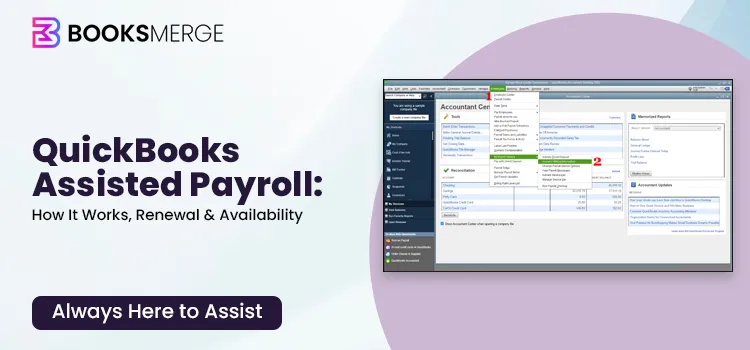
Wondering if QuickBooks Assisted Payroll meets your business requirements, and whether it’s a suitable subscription plan to choose?
QuickBooks Assisted Payroll has been a popular choice for businesses that prefer a hands-off approach to payroll management. By shifting complex payroll responsibilities—such as tax calculations, filings, and compliance—to Intuit’s payroll experts, companies can focus on daily operations rather than administrative tasks. The service has been especially useful for businesses looking to reduce payroll errors, ensure timely tax payments, and simplify employee payment processes through direct deposit and integrated payroll tools.
However, as of June 1, 2022, Intuit stopped offering new purchases of QuickBooks Desktop Assisted Payroll, except for those bundled with QuickBooks Enterprise Diamond. Let’s explore the payroll service below and how the discontinuation affects both new and existing users.
QuickBooks Assisted Payroll is a full-service payroll solution designed for businesses using QuickBooks Desktop. It helps companies manage payroll more efficiently by allowing them to submit employee hours and pay details while payroll specialists handle complex payroll tasks.
With this service, payroll taxes, filings, and payments are managed automatically, reducing the risk of errors and ensuring compliance with federal and state tax regulations. It also supports next-day direct deposit, automatic tax calculations, and guaranteed payroll tax accuracy.
Because the payroll software that integrates with QuickBooks Desktop, businesses can avoid manual data entry while managing employee payments, accessing payroll reports, and providing employees with self-service access through Workforce. It also supports payments for both employees and 1099 contractors.
QuickBooks Assisted Payroll requires you to meet certain specifications to ensure you can run services, such as direct deposit, without interruption. Check these requirements mentioned below:
QuickBooks Assisted Payroll is one of the best and most complex payroll services designed for large businesses. Below, we have mentioned the key features you will enjoy with the payroll subscription and how it’s a one-stop solution for your payroll needs:
Managing payroll can be time-consuming and complex, especially when it involves tax calculations and compliance requirements. QuickBooks Assisted Payroll helps businesses overcome these challenges through a range of powerful tools and services. Below are the key features that make it an effective payroll solution:
1. Data automation
Automate tax calculation, filings, and payments automatically with QuickBooks Assisted payroll. You can easily streamline the workflow using features like direct deposit, automatic tax form filing (1099s), and, for Premium/Elite users, integrated time tracking, reducing manual work by an average of 4 hours per week.
2. U.S.-Based Onboarding Support
QuickBooks Assisted Payroll offers U.S.-based experts who help you set up your account easily. They assist with moving your data, setting up taxes, and adding employees. Support is available by phone or chat (Mon–Fri, 6 AM–6 PM PT). Their team helps you switch smoothly and provides custom, full-service tax filing with no penalties.
3. User Access Levels and up to 250 employees per payroll run
Managing a large team? QuickBooks Assisted Payroll supports multiple user access levels and allows you to run payroll for up to 250 employees in a single run. This helps save time on manual processes while ensuring smooth team management and timely payroll processing.
4. Payroll taxes done – no penalties, guaranteed
Ensure federal and state payroll taxes are calculated, filed, and paid accurately and on time. The service automatically manages tax deposits, filings, and payments from your account. It also offers up to $25,000 in penalty protection if an error occurs, giving businesses confidence and simplifying payroll tax compliance.
5. Employee perks
Enjoy better employee experiences with convenient payroll features such as direct deposit and easy access to pay information. Employees receive accurate and timely payments, improving satisfaction and trust while making payroll management smoother for both employers and their teams.
6. Less work, 24/7 support
With QuickBooks Assisted Payroll, most payroll tasks are automated, reducing manual work and saving time. The service handles calculations, tax filings, and payments while providing 24/7 customer support, ensuring help is available whenever you need it, and keeping your payroll process running smoothly.
7. Employee perks
Enhance the overall employee experience by offering useful features that make payroll simple and transparent.
With options like direct deposit and timely notifications, employees receive their payments quickly and reliably. These conveniences build trust, reduce payroll-related confusion, and create a more positive workplace experience for your team.
8. Integrated time tracking through QuickBooks Time
The integration with QuickBooks Time allows businesses to track employee hours accurately and automatically sync them with payroll.
Employees can clock in and out from their mobile devices or computers, while managers can review, approve, and manage timesheets in real time. This integration reduces manual data entry, minimizes errors, and ensures employees are paid correctly for the hours they work.
Need fast support? Get in touch and allow our specialists to guide you through a simple and seamless renewal process. Dial our +1-866-513-4656 now!
As of June 1, 2022, the standalone version of QuickBooks Assisted Payroll was discontinued for new customers, and Intuit stopped offering it as a separate purchase. This means new users can no longer buy the service on its own.
However, existing subscribers can still continue using QuickBooks Assisted Payroll without interruption. Current users retain access to all payroll features, customer support, and tax filing services. They can also renew their subscriptions to keep using the service as long as their plan remains active.
For new users who want similar functionality, QuickBooks Assisted Payroll is now available as part of the QuickBooks Enterprise Diamond bundle. This package includes advanced payroll features along with enterprise-level accounting tools.
Alternatively, businesses that prefer a cloud-based solution can choose QuickBooks Online Payroll, which offers automated payroll processing, tax calculations, and compliance features depending on the selected plan. This option is designed for businesses that want easier access, automatic updates, and integration with other online tools.
Looking for quick help? Reach out to BooksMerge and let our experts assist you with an easy and hassle-free renewal. Call our toll-free number +1-866-513-4656 today!
QuickBooks Desktop Payroll software comes fully integrated with Enhanced or Assisted, with no additional subscription fees. This payroll services is only available with QuickBooks Desktop Diamond plan. Let’s get a detailed overview on the availability of the types of QuickBooks Desktop Payroll Enhanced or Assisted:
|
Gold $2210/ yr Annual Subscription** |
Platinum $2717/ yr Annual Subscription** |
Diamond $5364/ yr Monthly Subscription** |
| QuickBooks Desktop Enterprise software | QuickBooks Desktop Enterprise software | QuickBooks Desktop Enterprise software |
| Up to 30 users with custom roles and permissions | Up to 30 users with custom roles and permissions | Up to 40 users with custom roles and permissions |
| Advanced Reporting | Advanced Reporting | Advanced Reporting |
| QuickBooks Priority Circle | QuickBooks Priority Circle | QuickBooks Priority Circle |
| Multi-company management | Multi-company management | Multi-company management |
| QuickBooks Desktop Enhanced Payroll (+ up to $3/employee per month)** | QuickBooks Desktop Enhanced Payroll (+ up to $3/employee per month)** | QuickBooks Desktop Assisted Payroll (+$2.50/employee per pay period)** |
| Advanced Inventory | Advanced Inventory | |
| Advanced Pricing | Advanced Pricing | |
| Bill & PO workflow approvals | Bill & PO workflow approvals | |
| Intercompany transactions | Intercompany transactions | |
| QuickBooks Time Elite (+$10 $5/employee per month)** |
Overall, QuickBooks Desktop Enterprise payroll options are designed to support businesses of all sizes. Whether you choose Enhanced Payroll for full control or Assisted Payroll for a more automated experience, each plan provides reliable tools to simplify payroll management and ensure compliance.
Require immediate assistance? Contact today and our professionals will help you complete your renewal quickly and smoothly. Call +1-866-513-4656 the toll-free number today!
To keep your payroll operations running smoothly, existing QuickBooks users should renew their Assisted Payroll subscription before it expires. Explore different ways how existing users can reactivate their QuickBooks Assisted Payroll subscription:
Through your company file
The bets and simple way to renew the QuickBooks subscription is through the web. Here’s how to do so:
Through your Intuit account
You can also reactivate the payroll subscription from the web.
Another way to renew the QuickBooks Assisted Payroll subscription is connecting with certified QuickBooks professional. Our experts assist with subscription renewals, billing updates, and resolving technical issues to ensure your payroll services continue without interruption.
Need quick assistance? Contact today and let our professionals guide you through a smooth renewal process. Dial toll-free-number +1-866-513-4656 now!!
Managing QuickBooks Desktop with payroll is generally smooth, but users may occasionally encounter errors that interrupt payroll processing. Understanding the common issues and their solutions can help you resolve them quickly and keep payroll running without delays.
1. Subscription has lapsed error
One common issue users encounter in QuickBooks Assisted Payroll is the “Your payroll subscription has lapsed” error message, which usually appears when the software cannot verify an active payroll subscription.
Causes:
Fix it:
2. Payroll Service Server Error or Payroll Connection Error
Sometimes users see messages like “QuickBooks is unable to connect to the Payroll Service Server” or “Payroll Connection Error” when the software establish a connection with payroll services.
Causes:
Fix it:
3. Direct Deposit Not Processing
Users may notice that employee payments are not sent and QuickBooks displays a direct deposit processing error or the deposit status remains pending.
Causes:
Fix it:
4. Tax Form Filing Issues
While filing payroll taxes, QuickBooks may display errors such as “Unable to generate or submit payroll tax forms” or problems creating forms like W-2 or 941.
Causes:
Fix it:
5. Incorrect Payroll Tax Calculations
Sometimes users notice that taxes are calculated incorrectly when running payroll in QuickBooks Assisted Payroll.
Causes:
Fix it:
Finally, we have reached the end of this blog covering everything you should know about QuickBooks Assisted Payroll for both new and existing users. We discussed how existing users can reactivate their payroll subscription and how new users can subscribe to the service after the standalone version was discontinued.
If you still require guidance, you can contact the QuickBooks Payroll Help Number at +1-866-513-4656 for expert assistance and a complimentary consultation.
QuickBooks Assisted Payroll is a full-service, “done-for-you” payroll solution, often integrated with QuickBooks Desktop Enterprise (Gold/Platinum/Diamond), that handles paycheck calculations, tax payments, and filing.
QuickBooks Desktop Assisted Payroll is a full-service, automated solution (included with Enterprise Diamond) where Intuit handles tax filings and payments.
Enhanced Payroll is a self-service, DIY option (included with Enterprise Gold/Platinum) where you calculate paychecks and manage tax payments/filings yourself using built-in tools.
Yes, QuickBooks Assisted Payroll prepares, files, and sends out W-2s for your employees. The system automatically files W-2s with the Social Security Administration and provides digital copies to employees via the QuickBooks Workforce portal, though you can also print and mail them if necessary.
Processing payroll in QuickBooks Desktop involves setting up company/employee info, entering hours, and running payroll via the “Employees” menu. Key steps include selecting “Pay Employees,” choosing scheduled/unscheduled payroll, reviewing data, and printing checks or using direct deposit.
To set up payroll in QuickBooks Desktop, purchase a payroll subscription, then navigate to Employees > Payroll Setup to launch the wizard. This tool guides you through adding employee information, taxes, and deductions. Ensure you have company, employee, and tax information ready, then follow the prompts to configure pay types, direct deposit, and liabilities.
To change your payroll bank account in QuickBooks Desktop, go to Employees > My Payroll Service > Accounts/Billing Information. Sign in, click Edit next to your bank account, enter your payroll PIN, and update with the new information. Allow up to 2 business days for verification.
To adjust payroll liabilities in QuickBooks Desktop, go to Employees > Payroll Taxes and Liabilities > Adjust Payroll Liabilities. Set the date, choose between employee or company-level adjustments, select the specific item, and enter the amount.
QuickBooks Assisted Payroll: Features, Subscription, Availability & More
Read More