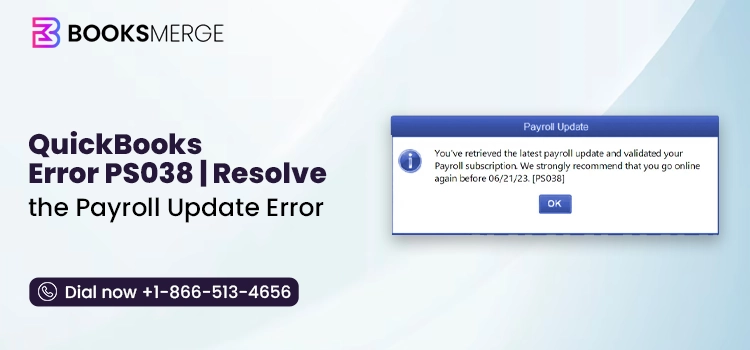
Payroll errors in QuickBooks can appear in various forms, including QuickBooks error PS038 and other PSXXX series codes. The error indicates that one or more paychecks are stuck in an “Online to Send” status, preventing proper communication between your system and Intuit’s payroll services.
Payroll services are essential for paying employees on time, filing taxes, tracking work hours, and managing HR operations. To ensure accuracy—especially with changing tax rates and tables—it’s important to keep these services updated regularly.
In this guide, we’ll explain the causes of error code PS038, how it affects your payroll workflow, and most importantly, the step-by-step solutions you can follow to resolve the issue and restore normal operations in QuickBooks Desktop.
QuickBooks Desktop error PS038 is part of the PSXXX series of payroll errors, which generally occur when there is a disruption in communication between QuickBooks and Intuit’s payroll services. These errors often appear during payroll updates or while sending payroll data.
Within this group, PS038 is specifically triggered when payroll transactions, typically paychecks, are stuck in an “Online to Send” status. Similar to other PSXXX errors, it prevents the system from completing payroll updates, as QuickBooks requires all pending data to be successfully transmitted before proceeding.
| Aspect | Details |
| Error Name | QuickBooks Error PS038 |
| When It Occurs | During payroll updates or while downloading the latest payroll tax table. |
| Common Error Message | “QuickBooks has retrieved the latest payroll update and validated your payroll subscription… Error PS038.” |
| Primary Cause | Paychecks stuck with the “Online to Send” status. |
| Common Solutions | Resolve paychecks stuck with the “Online to Send” status, and run the Verify Data and Rebuild Data utilities to repair company file issues. |
| Prevention Tips | Keep QuickBooks updated, install payroll updates regularly, back up your company file, and run Verify Data periodically. |
Mainly, QuickBooks error PS038 occurs when payroll data fails to send, leaving your paychecks stuck in an “Online to Send” status and preventing payroll processing or tax table updates.
Common indicators include an error message on your screen, “QuickBooks Desktop is unable to send your payroll data,” and others are mentioned below:
To fix the issue effectively, let’s first understand what causes update error PS038 in QuickBooks Desktop:
Now, let’s walk through the practical solutions to resolve QuickBooks error PS038 and get your payroll processes back on track without unnecessary delays.
Here’s how you can run QuickBooks as an administrator:

To run QuickBooks permanently with admin rights:
Keeping QuickBooks updated is important to make sure you have access to the latest features and improvements. Regular updates also help enhance security by applying recent patches, keeping your system better protected.
Here’s how to update QuickBooks Desktop:

We also recommend that you create a backup of your company files to protect your data and ensure it remains safe if something goes wrong during troubleshooting.
Updating the QuickBooks payroll services ensures you have the most current tax tables and features, helping you run payroll accurately and stay compliant. It also strengthens security by applying the latest updates.
Steps to update payroll in QuickBooks:
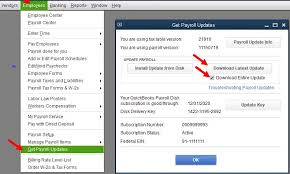
Let’s ensure there’s no stuck paycheck by sending all the payroll data in once:

If the submission doesn’t go through, contact us for help.
Now, let’s identify any paychecks that may be stuck:
Running the Verify and Rebuild Data tools in QuickBooks Desktop helps detect problematic paychecks and perform a repair to fix internal data issues that may be blocking payroll updates.

Results:
If the Verify tool detects damage in your data, run the Rebuild tool to fix your company file. You’ll need to create a backup before starting the rebuild process.
Note: If you use Assisted Payroll, get in touch with support before rebuilding your data.

Toggle the stuck paychecks we found in step 3.

The Quick Fix my Program will shut down the background processes that QuickBooks uses. Then, it runs a quick repair to the program to resolve QuickBooks error PS038:
Important Note: Download and install the latest version of QuickBooks Tool Hub (1.6.0.8) on your Windows 11 system to access the Quick Fix My Program feature and resolve common issues quickly.

Windows Firewall is a system security application that controls the ports used for incoming and outgoing data. If it detects any threat in the data or from the source, the security application blocks it from running on your computer. If Windows Firewall detects an issue with the payroll update file or the software, you may encounter QuickBooks error PS038. To resolve this error, ensure that Windows Firewall is properly configured for QuickBooks Desktop.
Note: QuickBooks Desktop Discontinued: Your Guide to Switch/Survive
The QBWin.log file is a diagnostic log generated by QuickBooks Desktop. It records detailed internal operations, including payroll transactions, tax table updates, and error messages. When PS038 occurs—typically linked to stuck paychecks or payroll update failures—this log often contains the exact trigger.
QuickBooks payroll errors PS038, PS033, and PS036 are all related to issues with payroll updates or service validation, but they stem from different underlying causes and require slightly different approaches to fix.
Error PS038 typically occurs when paychecks are stuck as “Online to Send” even after they’ve already been processed. This prevents new payroll updates from downloading because QuickBooks assumes there are pending submissions. It’s essentially a data-sync issue within the payroll system.
Error PS033 is more closely tied to problems with your payroll subscription or company file. It usually appears when QuickBooks cannot verify your payroll service due to corrupted data, an invalid subscription status, or issues within the CPS (Client Payroll Service) folder. In some cases, damaged company files can also trigger this error.
Error PS036 is also a payroll subscription validation error, but it’s often caused by incorrect billing details, an inactive subscription, or issues on Intuit’s server side. Compared to PS033, PS036 is more directly related to account or service-level verification failures rather than file corruption.
Preventing error PS038 mainly comes down to maintaining clean payroll data and ensuring that paycheck statuses are properly updated after processing:
In conclusion, QuickBooks error PS038 can interrupt payroll updates when paychecks are stuck in the “Online to Send” status, affecting your business operations. However, it can be resolved with the right approach. Whether the issue is caused by pending payroll data, outdated updates, or data inconsistencies, following the proper troubleshooting steps can help restore normal functionality efficiently.
If you run into any issues or need expert help, consider contacting QuickBooks Assisted Payroll specialists. Just dial our toll-free number +1-866-513-4656 to get smooth and stress-free payroll support.

QuickBooks payroll error PS038 occurs when paychecks are stuck in an “Online to Send” status, preventing the download of new tax tables or the processing of new payroll. It usually means QuickBooks cannot sync previously sent, yet uncleared, data with Intuit servers, often caused by connectivity issues or corrupted data.
Error PS038 in QuickBooks Desktop indicates that payroll updates are blocked because one or more paychecks are “stuck” in the “Online to Send” status. This usually occurs due to data synchronization issues, outdated payroll tax tables, or unsent paychecks, requiring users to identify these checks and clear them to successfully download new updates.
To fix QuickBooks Desktop error PS038 (stuck paychecks), back up your company file, update QuickBooks and payroll tax tables, and use the “Verify and Rebuild Data” utility. The error occurs when paychecks are stuck in “Online to Send” status, which can often be resolved by toggling the affected checks, re-saving them, or checking the Payroll Service key.
To fix a corrupted QuickBooks update or company file (.QBW), use the built-in Verify and Rebuild Data utility, run the QuickBooks File Doctor via the Tool Hub, or restore a recent backup. For update-specific errors, download the latest updates again or use the QuickBooks Install Diagnostic Tool.
To fix payroll error PS038 in QuickBooks, create a company file backup, install the latest QuickBooks updates and tax tables, identify the stuck paychecks in the Payroll Center, and use the Verify and Rebuild Data tools
Yes, running the Verify Data and Rebuild Data utilities is a critical step in resolving this error, but it rarely fixes it alone. Error PS038 is typically caused by “stuck” paychecks trying to send to Intuit. The Verify/Rebuild process identifies data damage and pinpoints these unsent checks so you can manually toggle them
QuickBooks Install Diagnostic Tool: How to Download, Run, and Fix Install Errors
Read More
AI-triaged.
Human-solved.
Instant QuickBooks diagnostics, then a certified ProAdvisor takes over live.
first-call fix
match time
live coverage