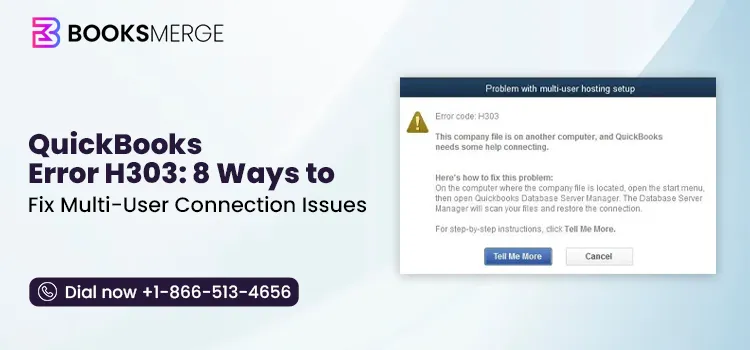
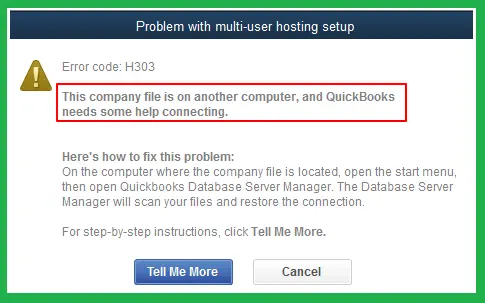
QuickBooks Error H303 is a multi-user connectivity issue that appears when QuickBooks Desktop cannot communicate with the computer hosting the data file. This error is primarily concerned with incorrect hosting settings, firewall interference, QBDBMgrN issues, or company file access permissions.
Imagine how frustrating it could be to get stuck with QuickBooks Error H303 while switching to multi-user mode.
This error can occur when QuickBooks Desktop cannot establish a connection between a workstation and the computer hosting the company file. Problems with hosting settings, network configuration, firewall permissions, or QB Database Server Manager can contribute to this issue.
This guide highlights the common causes and symptoms, and provides step-by-step troubleshooting methods to resolve QuickBooks Error Code H303.
QuickBooks Error H303 belongs to the H-series of errors in QuickBooks Desktop, which is related to multi-user mode, hosting, and network connectivity issues. Error H303 mainly indicates that QuickBooks may have trouble establishing communication between a workstation and the computer hosting the company file.
The table given below provides you with a glimpse of QuickBooks Error H303, including its error series, common causes, symptoms, and the areas that should be checked first. This will help users understand why the error occurs and where to begin troubleshooting.
| Paramater | Description |
| Error Name | QuickBooks Error H303 |
| Error Series | H-Series of error |
| Associated With | QuickBooks Desktop Multi-User Mode |
| Primary Issue | Communication problem between a workstation and the computer hosting the company file |
| Common Causes | Misconfigured hosting settings, network issues, firewall interruptions, Database Server Manager problems, or folder-permission issues. |
| When It Occurs | This issue may occur while accessing a company file stored on another computer in a multi-user mode. |
| Major Impact | Prevents the workstation from accessing the company file. |
| Troubleshooting Methods | Verify hosting settings, run Database Server Manager, check firewall and permissions, test multi-user access. |
Error H303 in QuickBooks might prevent a workstation from connecting to the computer hosting the company file. This may stop multi-user mode from working.
In this blog section, we have covered all the major factors contributing to the QuickBooks Error Code H303. Let’s have a look at all the common causes discussed below to understand the issue better.
QuickBooks H-series of errors is mainly linked to multi-user mode, hosting, and network connectivity problems. The table given below highlights some common H-series errors and the type of issue they indicate.
| Error Code | What it Indicates |
| QuickBooks Error H101 | This is a hosting or multi-user configuration issue that may prevent the workstation from connecting to the company file. |
| QuickBooks Error H202 | This issue may arise when the workstation fails to communicate with the computer hosting the QuickBooks company file. |
| QuickBooks Error H303 | This is a connectivity or hosting issue that prevents a workstation from accessing a company file hosted on another computer. |
| QuickBooks Error H505 | It is a problem with hosting or server communication that may prevent multi-user access to the company file. |
Before troubleshooting QuickBooks Multi-User Error H303, follow these essential precautions to protect your company file and avoid further network or multi-user access issues.
As discussed above, the QuickBooks Multi-user error H303 is caused when your workstation cannot reach the company file on the host server due to incorrect multi-user hosting setups, blocked network ports, or damaged configuration files. So, to fix the issue, verify hosting settings, run the QuickBooks Tool Hub, and configure the firewall settings.
If the computer hosting the company file is not set to host the company file in multi-user mode, you may end up with Error H303. Thus, to resolve the issue, you must verify the hosting settings and check that the workstation is set to access the company file in multi-user mode.

After performing these steps on the workstation, move to your server computer. This is the computer hosting your company files.
QuickBooks Database Server Manager is used to access the company file in a multi-user environment. If it is not installed properly, then the workstations may fail to connect to the server. Thus, it might be responsible for this multi-user mode error.
Note: Before starting the process, set up the latest version of the QuickBooks Tool Hub on your device.
Damaged company file and network issues are the major reasons that trigger the H303 error in QuickBooks Desktop. So, to troubleshoot this issue, you need to run QuickBooks File Doctor. This tool will repair the damaged company data on the server. After running this utility, return to the workstation and access the company file while running in multi-user mode.
It is essential that certain QuickBooks services like QuickBooksDBXX and QBCFMonitorService are running properly to work in multi-user mode. Use the following steps to enable these services on the server computer.
You can test your internet connection by pinging your server from a workstation.
To get your server name;
Return to your workstation to test the server.
If you receive a response for each packet with no loss, it means that the server is working appropriately.
If you see packet loss or a slow reply, you have to stop. Connect with an IT expert to get help with the network.
Windows Firewall blocks access to multi-user mode and prevents users from opening company files in a multi-user environment. Thus, it might give rise to the QuickBooks Desktop error H303. So, to fix the issue, you must reset the firewall settings and add it as an exception to enable multi-user mode to function properly.
Issues with the company file location are one of the major root causes behind Error H303 in QuickBooks Desktop.
To access the company file in multi-user mode over the network accurately, you need to set full access permissions. With sufficient Windows access permissions, you can easily share the company file with other workstations. Perform the following steps to reconfigure the Windows access rights.
The following are the key preventive measures that you must consider to avoid QuickBooks multi-user mode errors in the future.
QuickBooks Error H303 does not allow workstations to access the company file hosted on another computer. This issue is mainly caused by incorrect hosting settings, insufficient Windows folder permissions, and firewall restrictions. However, by implementing the troubleshooting methods above, you can easily fix this multi-user mode error.
By keeping QuickBooks up-to-date and maintaining proper hosting configuration, you can avoid Error H303 from happening in the future.

QuickBooks Error H303 belongs to the H-series of errors that appear when QuickBooks Desktop couldn’t communicate with the computer hosting the data file in a multi-user environment.
Yes, this error is mainly concerned with problems connecting workstations to the host server. Thus, it can prevent users from accessing the company file in multi-user mode.
Yes, incorrect firewall settings may block the communication that QuickBooks needs to connect workstations with the host computer.
H303 Error in QuickBooks is a multi-user mode issue, which means that your company data is damaged. Thus, you can fix this issue by creating regular company file backups.
QuickBooks Install Diagnostic Tool: How to Download, Run, and Fix Install Errors
Read More
AI-triaged.
Human-solved.
Instant QuickBooks diagnostics, then a certified ProAdvisor takes over live.
first-call fix
match time
live coverage