
This should save you ~10 minutes of reading

You can connect with our BooksMerge experts, who are available 24/7 to assist you with any tax-filing or form-related questions. You may call our experts directly using the +1-866-513-4656 this service is completely free. To schedule a callback, however, you’ll need to log in to your account or create a new one.
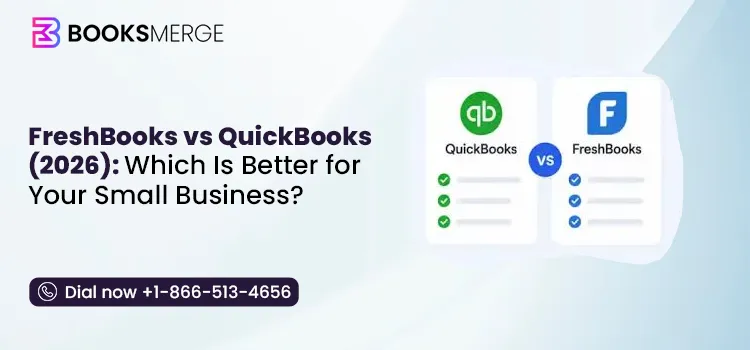
Comprehensive accounting & reporting
Inventory tracking on select plans
Advanced bank reconciliation
Payroll & multi-user support
Hundreds of app integrations
ProAdvisor & community support
$ Plans from $38/month

Simple, beginner-friendly interface
Built-in time tracking & billing
Unlimited invoices & online payments
Lower starting price
Great for freelancers & agencies
Phone, chat & email support
$ Plans from $21/month
Choosing the right accounting software is one of the most important decisions for any small business. The platform you select will affect how you manage invoices, expenses, taxes, payroll, financial reports, and overall business growth.
Among the most popular accounting solutions, FreshBooks and QuickBooks consistently rank at the top. While both simplify bookkeeping, they are designed for different types of users and business needs.
In this detailed comparison, we’ll examine FreshBooks vs QuickBooks across pricing, features, ease of use, automation, reporting, scalability, and more to help you determine which solution is the better fit for your business in 2026.
Both FreshBooks and QuickBooks are popular accounting solutions, but they’re designed for different types of businesses. Let’s compare them side by side to see which one better meets your needs:
| Feature | FreshBooks | QuickBooks |
| Best for | Freelancers, consultants, and service businesses | Small to medium-sized businesses with complex accounting needs |
| Ease of use | Beginner-friendly and easy to navigate | More powerful but has a steeper learning curve |
| Invoicing | Excellent, with built-in time tracking | Advanced invoicing with more customization options |
| Accounting features | Covers the essentials | Comprehensive accounting, reporting, and bookkeeping tools |
| Inventory management | Not available | Available on select plans |
| Reporting | Basic financial reports | Advanced, customizable financial reports |
| Starting price | Lower entry price | Higher starting price with more features |
| Best choice if… | You want simple invoicing and client management | You need scalable accounting software for business growth |
FreshBooks works best for businesses that spend most of their time working with clients rather than managing inventory or complicated finances.
You can create professional invoices, track billable hours, send payment reminders, and accept online payments without having to navigate a lot of accounting features.
It’s a good option if you:
If your day-to-day work revolves around clients, projects, and invoices, FreshBooks covers those tasks well without adding unnecessary complexity.
QuickBooks is a better choice if your business has moved beyond basic bookkeeping or you expect it to. It offers more accounting tools than FreshBooks, making it easier to handle larger transaction volumes, track inventory, manage payroll, and generate detailed financial reports.
Consider QuickBooks if you:
For businesses that are growing or have more complex accounting needs, QuickBooks provides more flexibility.
Read More: best accounting software alternatives to QuickBooks
Before deciding, it’s important to compare what each plan includes and whether those features match the way your business operates:
FreshBooks keeps its pricing simple with four plans: Lite, Plus, Premium, and Select. Here’s a list of different plans, pricing, and detailed features that you can access:
| Plan | Monthly Price* | Best For | Key Features |
| Lite | $21/month | Freelancers and sole proprietors | Unlimited invoices, expense tracking, estimates, online payments, mileage tracking |
| Plus | $38/month | Small service businesses | Everything in Lite, plus recurring invoices, automatic reminders, client retainers, accountant access |
| Premium | $65/month | Growing businesses | Everything in Plus, plus advanced reporting, unlimited billable clients, project profitability |
| Select | Custom pricing | Larger businesses | Customized onboarding, lower payment processing rates, dedicated account manager |
*Prices are based on FreshBooks’ standard monthly plans and may change over time.
QuickBooks Online offers four subscription plans: Simple Start, Essentials, Plus, and Advanced.
| Plan | Monthly Price* | Best For | Key Features |
| Simple Start | $38/month | Sole proprietors and startups | Income and expense tracking, invoicing, estimates, tax deductions, basic reports |
| Essentials | $75/month | Small teams | Everything in Simple Start, plus bill management, multiple users, time tracking |
| Plus | $115/month | Growing businesses | Everything in Essentials, plus inventory tracking, project profitability, budgeting |
| Advanced | $275/month | Established | Custom reports, workflow automation, business analytics, dedicated account support, expanded user limits. |
*Reflects QuickBooks Online pricing following the May 2026 pricing update.
The monthly subscription isn’t the only expense to consider. Your monthly subscription isn’t the only cost to consider. Add-ons, extra users, and services like payroll can increase what you pay over time.
Here’s how FreshBooks and QuickBooks compare for a typical small business.
| Comparison | FreshBooks | QuickBooks |
| Starting monthly price | $21 | $38 |
| Mid-tier plan | $38 (Plus) | $75 (Essentials) |
| Popular plan for growing businesses | $65 (Premium) | $115 (Plus) |
| Highest plan | Custom pricing | $275/month |
| Payroll | Available as an add-on | Available as an add-on |
| Inventory management | Not included | Included with Plus and Advanced |
| Best value for | Freelancers and service-based businesses | Businesses that need complete accounting and room to grow |
If keeping costs low is your priority, FreshBooks is the better choice. If you need advanced accounting tools and expect your business to grow, QuickBooks offers more for the higher price.
The right accounting software depends on the features your business actually needs. Let’s compare FreshBooks and QuickBooks in the areas where they differ the most:
If invoicing is a priority, both FreshBooks and QuickBooks do the job well.
FreshBooks is built around client billing, making it easier to track billable hours, manage projects, and turn that time into invoices. QuickBooks offers more flexibility, especially for businesses that need customized invoices or more advanced billing options.
QuickBooks has a clear advantage when it comes to bank reconciliation. It automatically matches imported bank transactions with your records, making it easier to review accounts and close your books each month.
FreshBooks also connects to your bank and imports transactions, but its reconciliation tools are more straightforward and better suited to businesses with simpler accounting needs.
FreshBooks focuses on the reports most small businesses use regularly, such as profit and loss, expenses, and sales summaries.
QuickBooks goes much further by offering detailed financial reports, customizable dashboards, cash flow analysis, balance sheets, and tax reports. If reporting plays an important role in your decision-making, QuickBooks offers considerably more depth.
Time tracking is one of FreshBooks’ strongest features. You can record billable hours, assign them to clients or projects, and convert them into invoices without leaving the platform.
While QuickBooks also supports time tracking, it isn’t as tightly integrated and may require a higher-tier plan or an additional service, depending on your needs.
FreshBooks works well for freelancers, consultants, and small teams, but QuickBooks is designed with growing businesses in mind.
It supports more users, offers role-based permissions, and includes features such as inventory management, payroll, and advanced reporting that become increasingly valuable as a business expands.
Both platforms connect with a wide range of third-party applications, including payment processors, CRM systems, and productivity tools. The difference is the size of their ecosystems.
QuickBooks supports hundreds of integrations, giving businesses more flexibility as their software needs grow. FreshBooks covers the essentials but offers a smaller selection of integrations overall.
Important Note: QuickBooks Desktop sunset timeline and what’s next
Good customer support matters, especially when you’re trying to resolve an issue before payroll, tax filing, or month-end closing.
FreshBooks and QuickBooks both offer several ways to get help, but the level of support and available resources differ:
FreshBooks keeps its support options straightforward. Depending on your plan, you can get help through:
FreshBooks’ support works well for account setup, invoicing, expense tracking, and other day-to-day tasks. Since the software is relatively easy to use, most users won’t need advanced technical assistance very often.
QuickBooks offers more support resources, reflecting the platform’s broader feature set.
Because QuickBooks handles more advanced accounting tasks, resolving issues such as payroll errors, company file damage, data migration, or software update problems may require more than the built-in support options.
Sometimes you need more than general product support, especially when you’re dealing with technical issues or accounting tasks that affect your business.
BooksMerge provides hands-on QuickBooks assistance with:
Instead of spending hours searching for solutions, you can work directly with BooksMerge QuickBooks professionals who can identify the problem, explain your options, and help you get back to business faster.
Both platforms are excellent, but they excel in different areas. Here’s a quick look at which one is better suited for your business.
Best choice: FreshBooks
If your day revolves around clients, invoices, and getting paid on time, FreshBooks is likely the better choice. It’s easy to use, quick to set up, and includes everything most freelancers need.
QuickBooks can certainly do the job, but it offers many accounting features that solo professionals may never use, and it will also cost you more. FreshBooks keeps things simple without compromising the essentials.
Choose FreshBooks if you mainly need to:
Best choice: FreshBooks
Most service-based businesses don’t usually use inventory management; they need smooth invoicing, time tracking, and project management. That’s where FreshBooks stands out. It lets you track hours, manage projects, send recurring invoices, and collaborate with clients, all in one place.
If your agency has grown to multiple teams or requires advanced financial reporting, QuickBooks starts to make more sense. But for many consultants and service providers, FreshBooks offers a simpler day-to-day experience.
Best Choice: QuickBooks
If you sell physical products, QuickBooks is the stronger option. It offers inventory tracking, purchase order support, and integrations with many POS and eCommerce platforms, features that retailers rely on every day.
FreshBooks wasn’t built for managing stock or product catalogs. While it’s great for invoicing and basic bookkeeping, for businesses that deal with inventory, QUickBooks is a far more practical choice.
Best Choice: QuickBooks
As your business grows, so do your accounting needs. You may need payroll, multiple users, advanced reporting, or integrations with other business tools. QuickBooks is built to handle that growth.
FreshBooks works well for small teams, but businesses often outgrow it as operations become more complex. If you’re planning to hire employees or expand over the next few years, QuickBooks gives you more room to grow.
Best Choice: QuickBooks
QuickBooks has long been the preferred choice for accountants and bookkeepers. It offers advanced reporting, reconciliation tools, journal entries, and detailed financial records that professionals depend on.
FreshBooks is easier for business owners to manage themselves, but when it comes to working closely with an accountant or handling more complex bookkeeping, QuickBooks is usually the better fit.
Read More: QuickBooks Vs Xero (2026): Which Is Better for Your Small Business?
Features and pricing only tell part of the story. A user discussion gives a better idea of what it’s actually like to use each platform. Here are the most common experiences users have shared:
FreshBooks earns consistent praise for its simplicity. Across G2, Capterra, Reddit, and Quora, freelancers and solo business owners often mention that they were able to start invoicing and tracking expenses with little to no learning curve. Many also appreciate that the client-based pricing works well when they have a small, stable client base.
The biggest drawback users mention is the client limit on lower-tier plans. As their client list grows, many say they’re forced to upgrade sooner than expected. Some users also feel that while FreshBooks handles everyday bookkeeping well, it starts to feel limited once reporting and accounting needs become more advanced.
Overall pattern: Freelancers and service-based professionals value FreshBooks for its ease of use and fast invoicing, but growing businesses are more likely to outgrow its lower-tier plans.

Users who move to QuickBooks from simpler accounting software often say its reporting capabilities and accounting tools make the switch worthwhile. Many Reddit and Quora discussions also highlight customer support and accountant familiarity as reasons businesses continue using the platform as they grow.
The most common criticism is pricing. Users frequently mention annual subscription increases and feel the cost has risen faster than expected. Others note that QuickBooks takes longer to learn than FreshBooks, but they believe the added functionality is worth it for businesses with more complex accounting needs.
Overall pattern: Businesses with growing teams or more advanced bookkeeping needs appreciate QuickBooks’ depth and support options, though many remain concerned about the platform’s increasing cost.
Whether you’re moving to FreshBooks for its simplicity or upgrading to QuickBooks for more advanced accounting, planning the migration beforehand can save you time and prevent data issues. Here’s what to keep in mind:
FreshBooks is a good fit if you’re simplifying your accounting workflow. Before switching, keep these points in mind:
What you can transfer:
What may not transfer automatically:
How to Switch
The migration process is fairly straightforward if your records are organized. In most cases, you’ll need to:
Many businesses move to QuickBooks when they need more advanced accounting features or their operations become more complex.
What you can transfer:
What may require manual setup:
How to Switch
Before you begin, make sure your FreshBooks data is up to date. Then:
Tip: If your business has several years of accounting history or relies on payroll and inventory, consider using a migration specialist. They can help map your data correctly and minimize the risk of errors during the transition.
We’ve reached the end of this FreshBooks vs QuickBooks comparison. Throughout this guide, we have seen that both platforms are excellent accounting solutions, but the right choice depends on your business requirements.
FreshBooks is a great option for freelancers and service-based businesses looking for simple invoicing and bookkeeping, while QuickBooks is better suited for businesses that need advanced accounting, inventory management, and detailed financial reporting.
If you’re still unsure which platform is right for your business or need help switching between FreshBooks and QuickBooks, the accounting professionals at BooksMerge are available to assist. Dial +1-866-513-4656 now!

It depends on what you need. FreshBooks is a great fit for freelancers and service-based businesses that want simple invoicing, expense tracking, and time tracking. QuickBooks is better if you need full accounting features like inventory, payroll, detailed financial reports, and support for a growing business.
No, QuickBooks offers more advanced accounting tools, while FreshBooks focuses on ease of use. If your work revolves around sending invoices and tracking billable hours, FreshBooks is often the simpler option. If you manage more complex finances, QuickBooks is usually the stronger choice.
Yes, FreshBooks generally has a lower starting price, making it appealing for freelancers and small businesses. However, as your team grows or you need additional features, pricing can increase. Compare plans based on the features you actually need rather than the monthly fee alone.
Wave is a good choice if you’re looking for free accounting software with basic features. FreshBooks works well for freelancers and agencies that bill clients regularly. QuickBooks is the better investment if you expect your business to grow or need more advanced accounting capabilities.
Yes, although the process may require exporting and importing your data or using a migration tool. Most customer information, invoices, and expenses can be transferred, but it’s worth checking everything after the migration to make sure your records are complete.
FreshBooks is generally easier for beginners because its interface is simple and focuses on everyday business tasks. QuickBooks takes more time to learn, but it provides more advanced accounting features that many growing businesses eventually need.
Many users choose FreshBooks because it’s easy to navigate and makes invoicing quick and hassle-free. QuickBooks is often praised for its powerful accounting tools and detailed reporting, though some users find it more complex. The right choice usually comes down to whether you value simplicity or advanced functionality.
FreshBooks is best for service businesses that want straightforward invoicing and time tracking. QuickBooks is ideal for businesses needing advanced accounting and reporting. Xero offers a balance of usability and accounting features, making it a popular choice for small businesses that work closely with accountants.
QuickBooks Install Diagnostic Tool: How to Download, Run, and Fix Install Errors
Read More
AI-triaged.
Human-solved.
Instant QuickBooks diagnostics, then a certified ProAdvisor takes over live.
first-call fix
match time
live coverage